Can you add an account dimension to the system? For example on the file upload tab add a dropdown to allow the user to select an account (taxable, IRA, Roth etc.) that will be associated with all the transactions in the uploaded file. This way you can upload transactions from different accounts and filter in the trades tab to a specific account.
So you mean from one broker, but different accounts within that broker?
I added a new account column and filter. It should parse these accounts going forward.
On the Import tab there needs to be a dropdown to specify the account that the transactions in the file belong to. For example lets say you have 2 transaction files. One for your taxable account and another for your IRA account. As you upload each file you would select the appropriate account type. That way every transaction in that file would be associated with the selected account. It’s very similar to the way tags work. i.e. You create your own tags and assign them to transactions. The difference is the import process automatically assigns the account to the transaction as part of the upload.
The only other option I can think of is to include the account number in the upload file as an additional column.
This is how the current implementation works
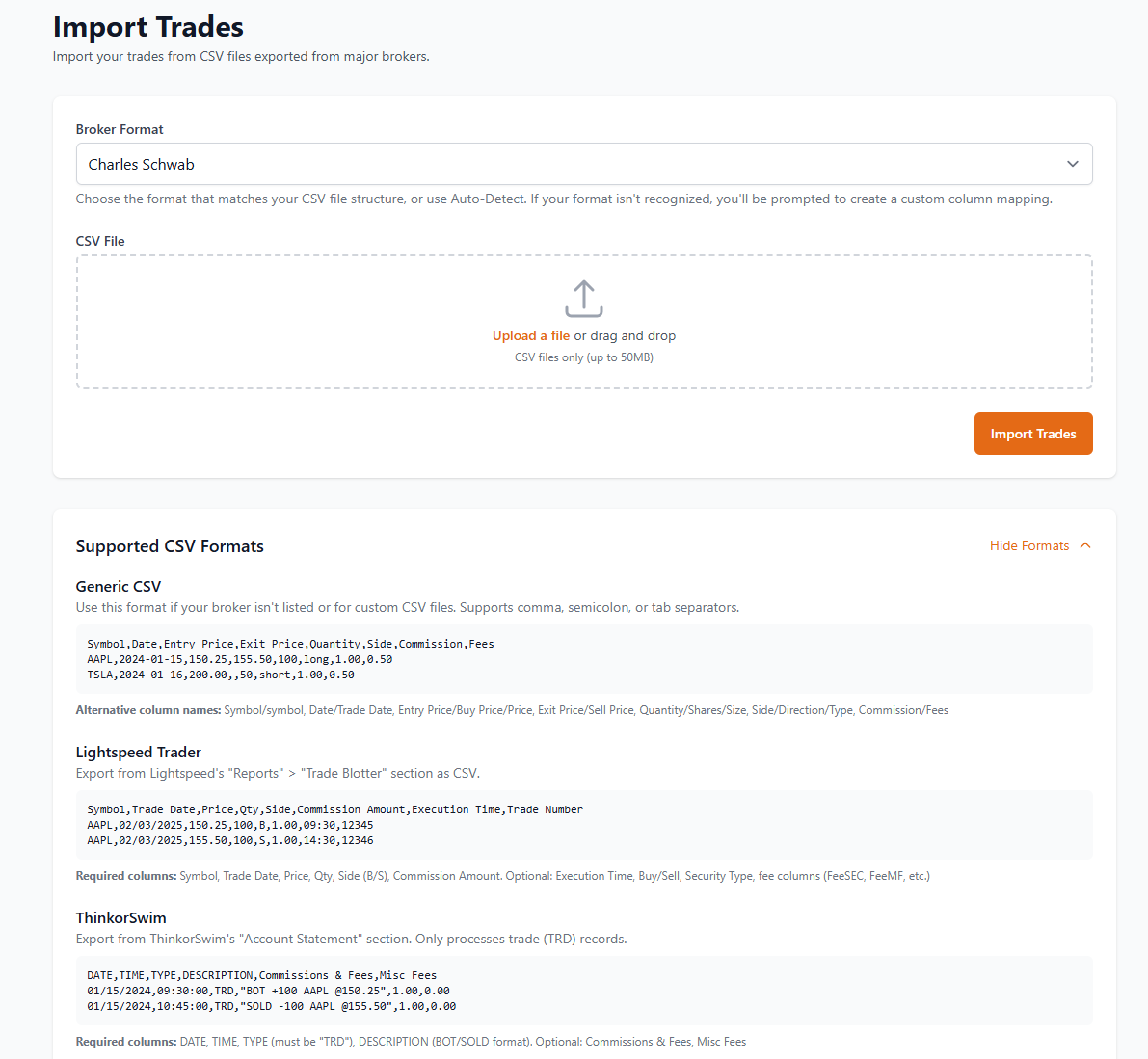
I will add a manual option in the next commit. I am working on an additional feature of account balance tracking so it will all be added with that.
In the latest commit there is now support for adding Accounts. You can do this in Settings > Trading > Manage Accounts or import a CSV with Account column present.
I just noticed there is a problem uploading files when there are multiple trades on the same day spread across different files. Depending on the upload sequence some of the trades are dropped.
To replicate the error try uploading the following 2 files twice each time switch the upload sequence (1st time file 1 followed by file 2, then file 2 followed by file 1)
File1:
Date,Action,Symbol,Description,Quantity,Price,Fees & Comm,Amount
06/26/2025,Buy,FFF,DUMMY,10,200,-2000.00
06/26/2025,Sell,FFF,DUMMY,10,205,2050
07/26/2025,Buy,FFF,DUMMY,20,210,-4200.00
07/26/2025,Sell,FFF,DUMMY,20,215,4300.00
File2:
Date,Action,Symbol,Description,Quantity,Price,Fees & Comm,Amount
06/26/2025,Buy,XYZ,DUMMY,10,100,-1000.00
06/26/2025,Sell,XYZ,DUMMY,10,105,1050
06/26/2025,Buy,XYZ,DUMMY,20,110,-2200.00
06/26/2025,Sell,XYZ,DUMMY,20,115,2300.00
There is no option to filter the trades based on the account as the account dropdown filter in the Trades tab does not show the accounts created in the Settings→Trading tab.
I don’t know if this is still an issue but I have made quite a few updates since this post.
I just re-ran the tests. Same problem. Trades are getting dropped when when there are multiple trades for the same date across both files.
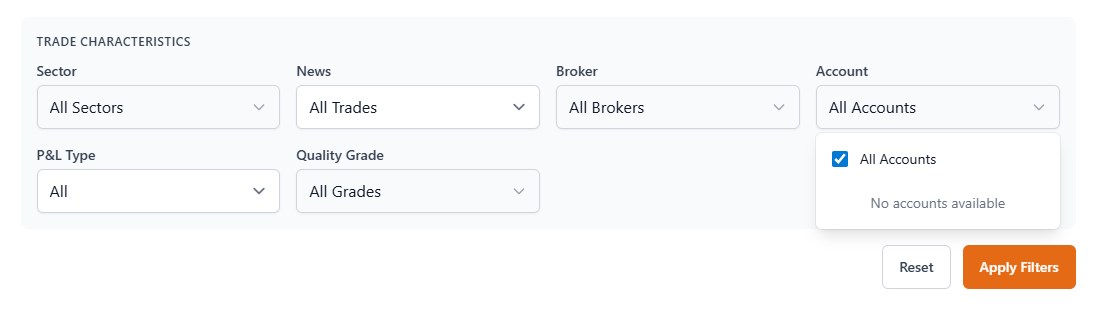
Also can you fix the Account dropdown filter on the Trades tab? It only shows ‘All Accounts’. It needs to show the account(s) used when the trades were originally imported.
Can you provide some csv files that you are using so that I know what you are talking about?
If the accounts were added they would show up in that dropdown filter.
I did that already. See my response from Jan 3rd. Here they are again:
Sorry, I don’t see them. To prove this take a look at the following two screen shots:
The first are the accounts I created to use for the Import function.
The 2nd is the accounts on the dropdown in the Trades tab: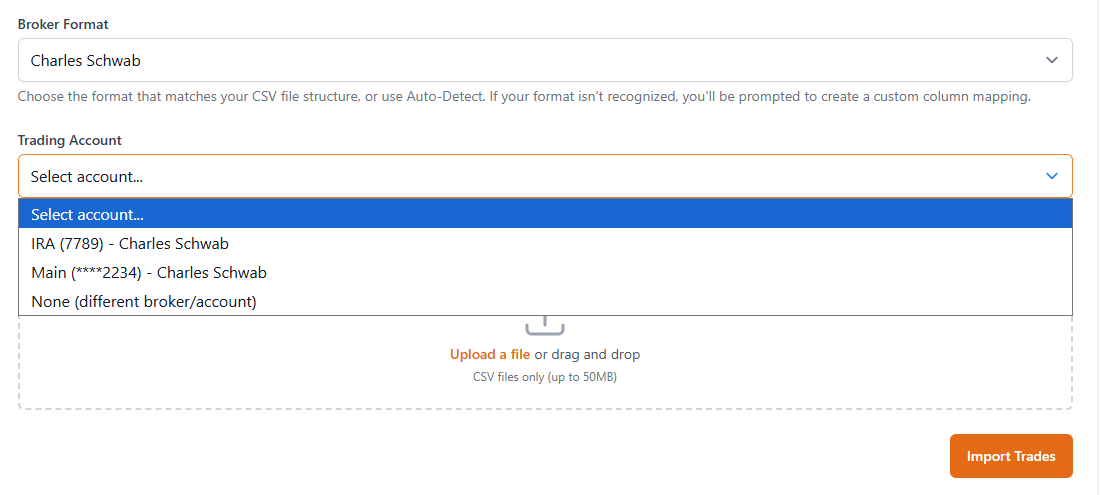
The accounts filter only filters a trade where there is account information actually in the column. That only gets added if you chose an account during import.
I loaded both files selecting one of the accounts from the dropdown. The screenshot is just to show you that the accounts exist. Why don’t you try it yourself?